Intent: Add the ability for administrators to create surveys that adjust to the responsibilities of specific associate types.
Impact:
Established baseline understanding of user types (business partners and associates)
Enhanced product requirements & product direction via user research & usability testing
Validated hypothesis for time-saving of survey completion
Increased confidence our business partners have in our survey creation tool
It took lots of time for associates to complete required surveys because many questions didn’t apply to them but were shown to all.
By investigating digital survey creation tools and gaining a deeper understanding of how our business partners/administrators (our users) utilize our existing survey creation tool, I successfully designed an in product method for reducing the amount of questions associates are shown.
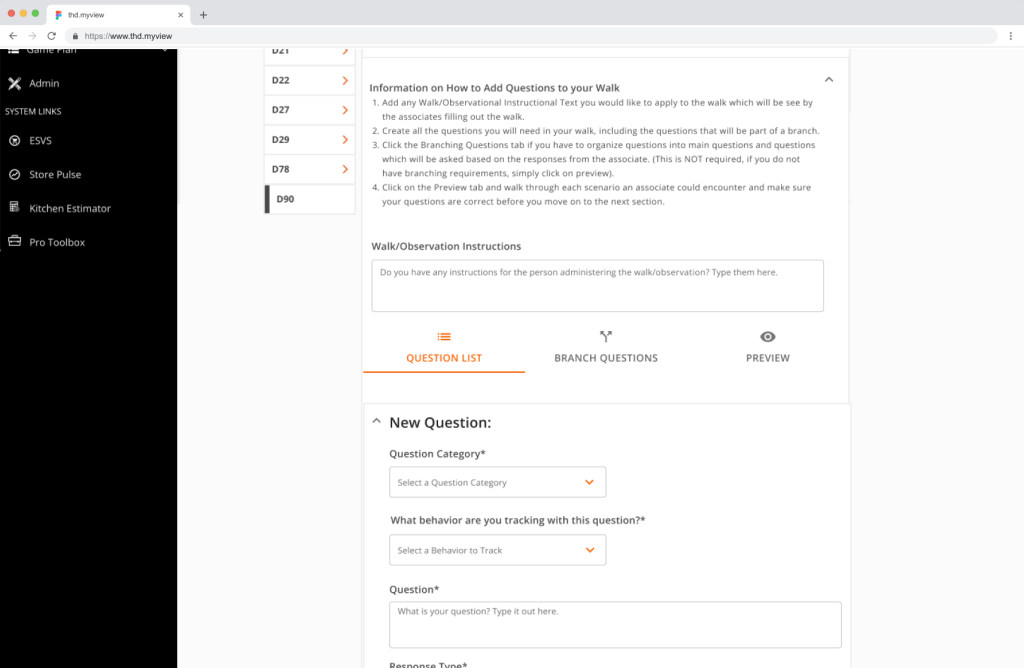
New Survey Creation Tool Page (3 tabbed sections on one page)
Research
Numerous digital survey creation products are utilized in different formats. In order to enhance and expand the capabilities of our survey creation tool, I sought inspiration and deeper insights into the successful strategies employed by those products. (Think SurveyMonkey, Microsoft Forms, etc.)
It was crucial to grasp the unique needs and survey creation methods of our backend business partners. Rather than just copying a competitor’s tool and developing it exactly as is within our own product, I concentrated on understanding our specific needs and requirements and found ways to smoothly incorporate certain external solutions into our system.
Methods Utilized:
User Research Surveys from business partners
Competitive Analysis with other online survey creation products
Contextual Interviews with associates in store
Contextual Interviews with business partners in the process of using the current survey creation tool
Design
The tool’s design focused on how information was entered and edited smoothly. By comparing it with other survey tools and our current one, I managed to maintain a balance between necessary changes and keeping the original designs intact
Methods Utilized:
Information Architecture
Layout Redesign : Wireframes, Low Fidelity Mock-ups, Final Prototypes
Developer Collaboration & Handoff
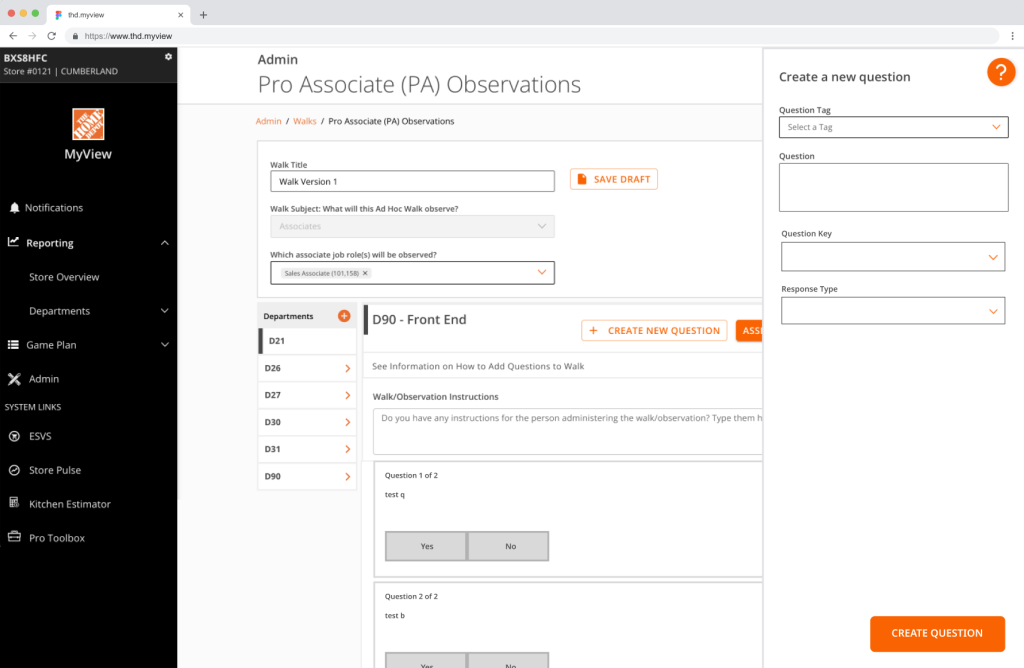
Original Create a Question Design
Redesigned Create a Question Design
Team Collaboration
Collaboration with developers played a crucial role in addressing the primary design obstacle of guaranteeing the efficient storage of survey data.
Efficiently navigating between 3 tabs posed a significant programming obstacle initially. The seemingly straightforward nature of the tool’s functional needs could have resulted in its downfall, but thanks to the close partnership between design and engineering during the design process, we successfully collaborated and resolved issues for our final tool design.
Main Points of Concern:
Saving of questions when switching between the 3 tabs
Saving of “branched” questions when switching between tabs